
Enhancements
Insurance Pay Types
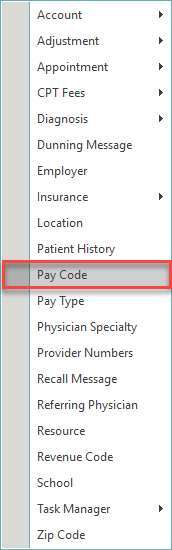
Users can now maintain Insurance Pay Types within Tables by navigating to Tables > Pay Types. Users will need security rights enabled within Manage > Security > Users to access Pay Types within Tables.
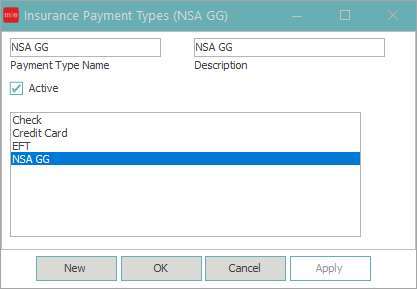
Users can select the New button to insert a new Insurance Pay Type. Enter Payment Type Name and Description, then select the active flag and save. The system Pay Types for Check, Credit Card and EFT cannot be edited, however, they can be inactivated by disabling the active flag.
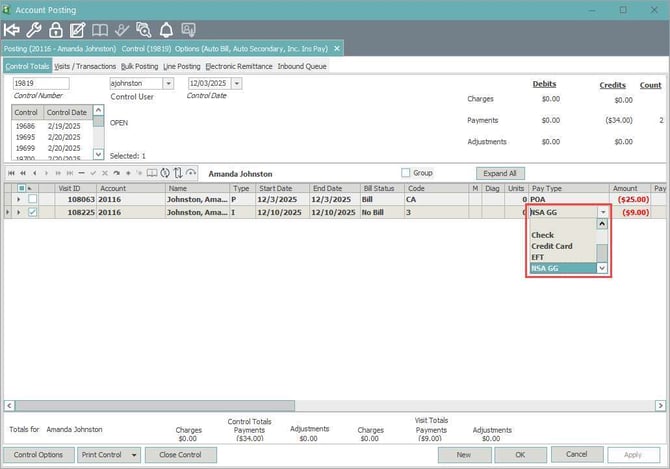
The newly added Insurance Pay Type can then be selected when posting Insurance Payments in Visits/Transaction and Line Posting or updated within Control Totals.
Improvements
Automated Tasks
-
Resolved an issue in which the Insurance Provider list was not populating all providers when creating or modifying automated task templates for unprocessable claims
Claims
-
Now populating financial location taxonomy within 33b and insurance providers taxonomy within 24J on the HCFA 1500 when Payer ID is 75228, 87726, 77103, 60061, 66012, 45408, 47073, 77799, 77013, MHPIL, 80142, RP099, 21921, 54704, 54763
-
Providers Name is now populating within box 31 on the HCFA 1500 for payer ID 128LA
-
Now populating financial location taxonomy within 81cc on the UB04
Electronic Claims
-
Updated iHCFA to allow files to be sent without documents for some clients
Embedded Browser
-
Updated the embedded browser within the Internet and Announcement MedMats as well as the InstaMed browser when posting credit card payments within MedEvolve
Insurance Collections
-
No longer displaying visits that have a credit or zero dollar balance when filtering by visit