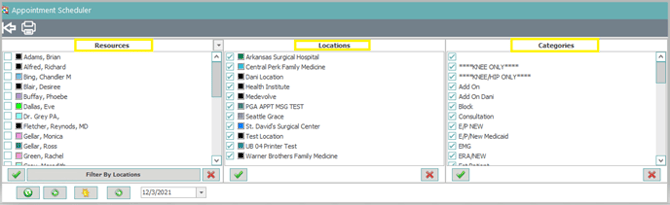
Step 1: Select the Resources, Locations and Categories you wish to search by.
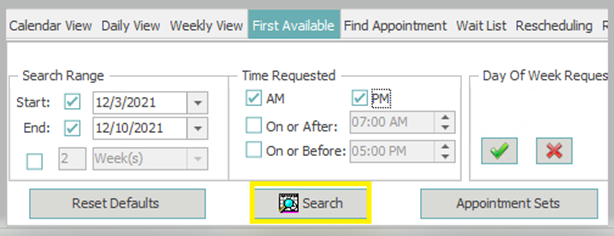
Step 2: Enter your Search Range. (Specific start/end date or a number of days, weeks, months or years to begin searching by.)

Step 3: Select the Time Requested. (choose AM if any morning appointment will work, PM if any afternoon appointment will work, or unselect both and choose a specific time to start and stop searching for available appointments.)

Step 4: Choose the Day(s) of the Week Requested: (Choose all or any specific day of the week you wish to search for a first available appointment.)

Step 5: Click Search to begin searching for available appointment slots. (Note: The first 25 appointments matching your criteria will appear for each Resource.)
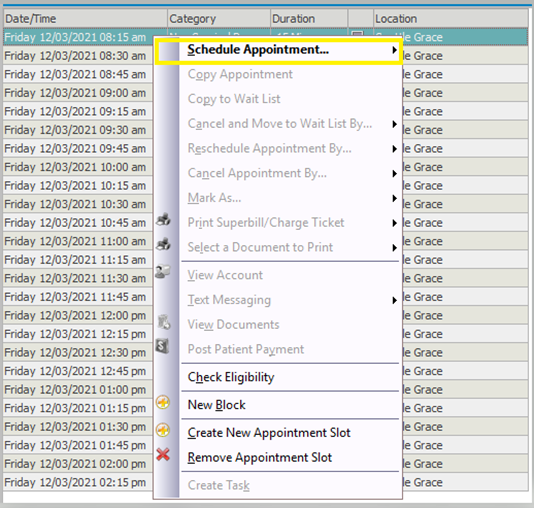
Step 6: Right-click the desired appointment slot from the results, and then select “Schedule Appointment” to continue scheduling the patient as usual.