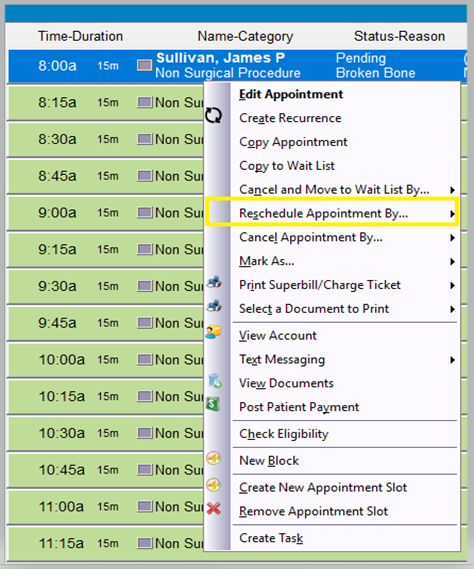
Step 1: Right-click on the appointment you wish to reschedule, and then select “Reschedule Appointment By”.
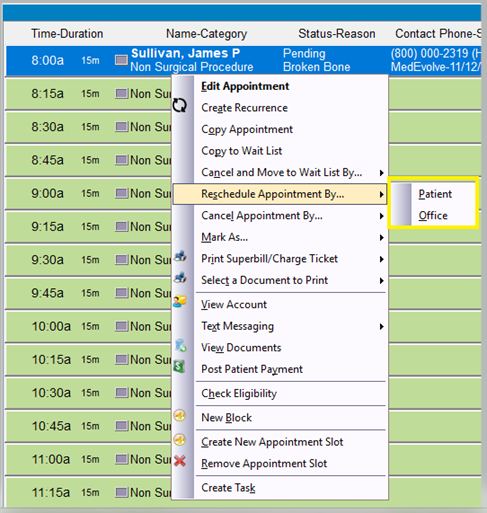
Step 2: Choose if you are rescheduling due to patient request, or by office request. (It will appear as if nothing happened, but this will save the appointment details to the clipboard.)
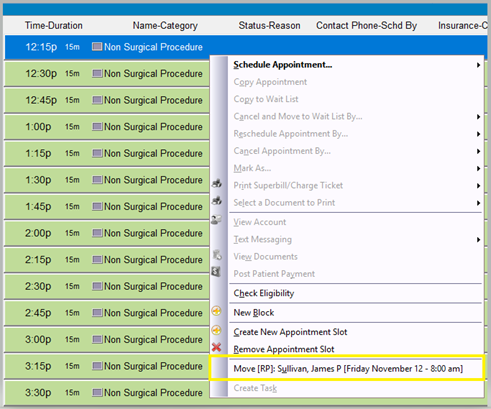
Step 3: Right-click the new appointment slot you wish to reschedule the patient in, and then select “Move: <Patient Name> [Day, Date, Time]”
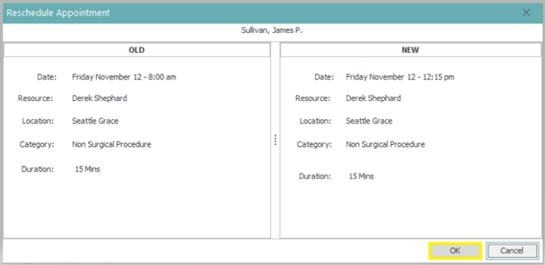
Step 4: Left-click “OK” to accept changes as detailed in the pop-up window and then the appointment will be scheduled in the new appointment slot, and cancelled from the previous appointment slot.