
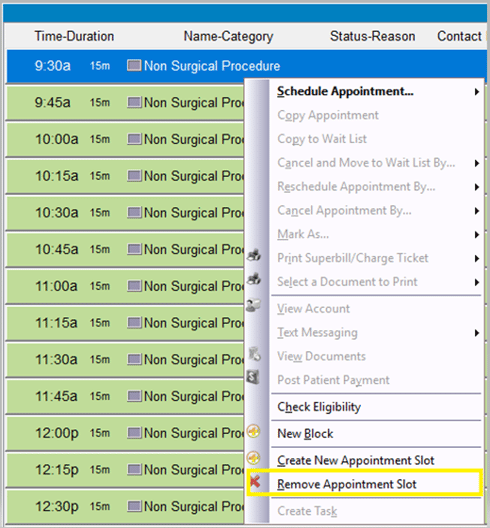
Step 1: Right-click the slot, and then select “Remove Appointment Slot”.
Notes:
If a patient is scheduled in the slot, you will receive a warning that you cannot delete an appointment slot with a scheduled patient; you must cancel or reschedule the patient first.
If the slot you are removing is part of a series, you will receive a pop-up warning that is it part of a series, once deleted, it will no longer be available for use on that day.
If you are deleting an appointment slot that was manually added using Create New Appointment Slot, and there are no patients scheduled in that slot, the slot will simply be removed without warning.