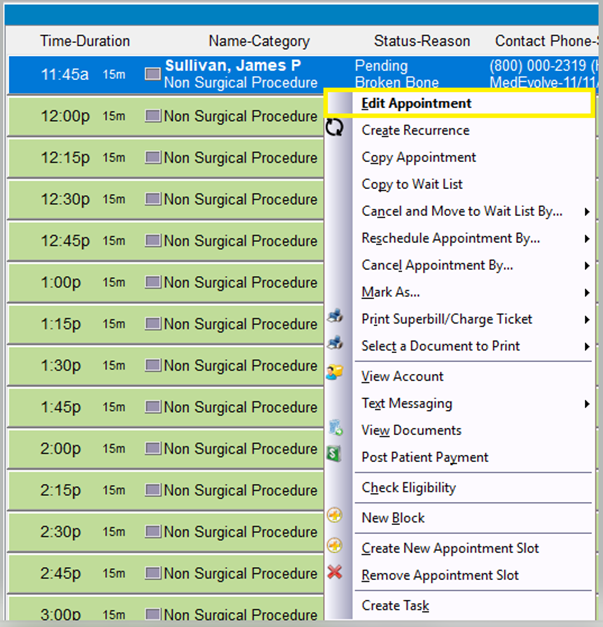
Step 1: Right-click the scheduled appointment and select “Edit Appointment” or double left-click the scheduled appointment. This will load the Appointment Detail window, allowing you to edit certain fields such as the Reason, Memo, or Category (security rights required).
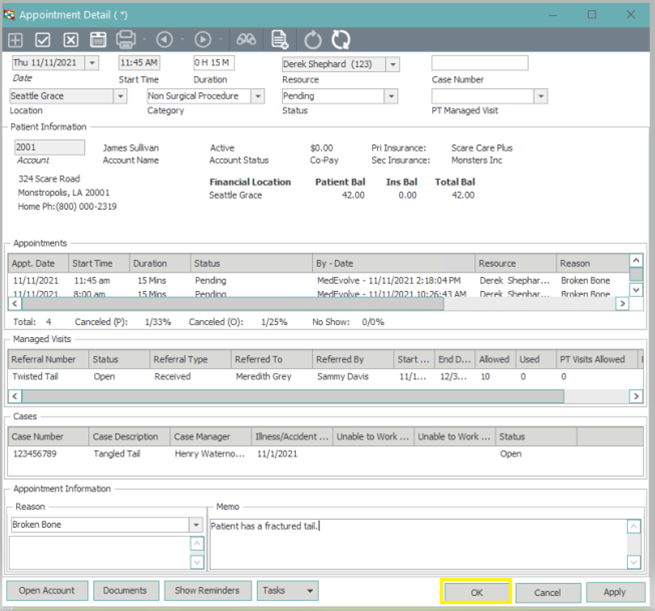
Step 2: Once you are finished editing the appointment, click “OK” to save the change(s) and return to the scheduler application.