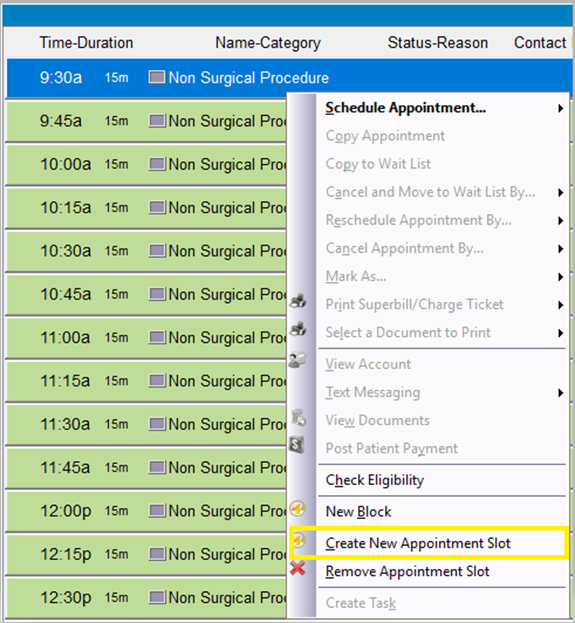
Step 1: Right-click the appointment slot area, and then select “Create New Appointment Slot.”
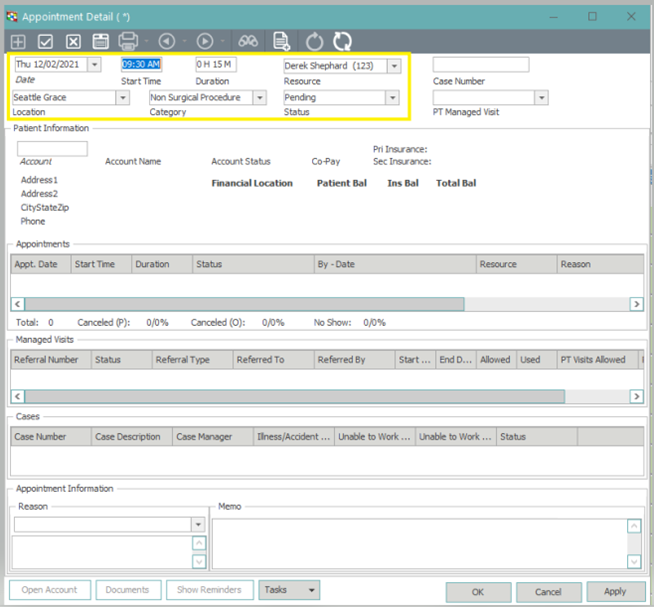
Step 2: On the Appointment Detail window, enter the Start Time and Duration as needed. Note: You may edit the Resource, Location and Category if needed. (Note: You may also enter the Account number, or click the italicized word Account, to attach a patient to the slot as you’re creating it.)
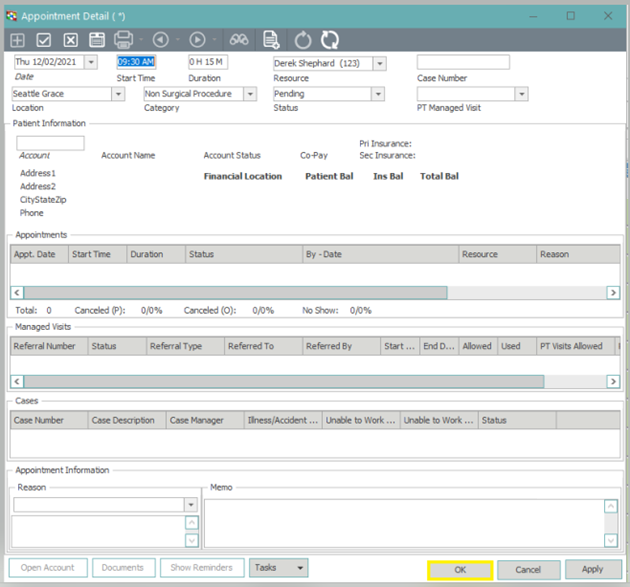
Step 3: Click “OK” when finished to create the appointment slot.