
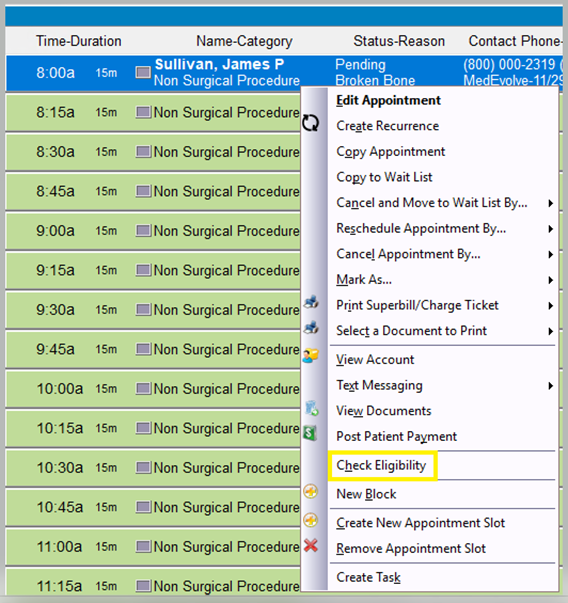
Step 1: Right-click the scheduled appointment and select “Check Eligibility”.
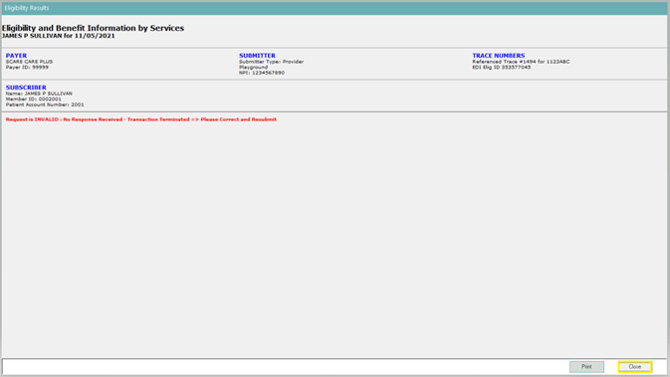
Step 2: Review the eligibility details and then click “Close” to get back to the Appointment Schedule.
**NOTE: Insurance Plan colors will change to reflect the eligibility status.
-
RED = Inactive
-
GREEN = Active
-
BLACK = Invalid or not processed