
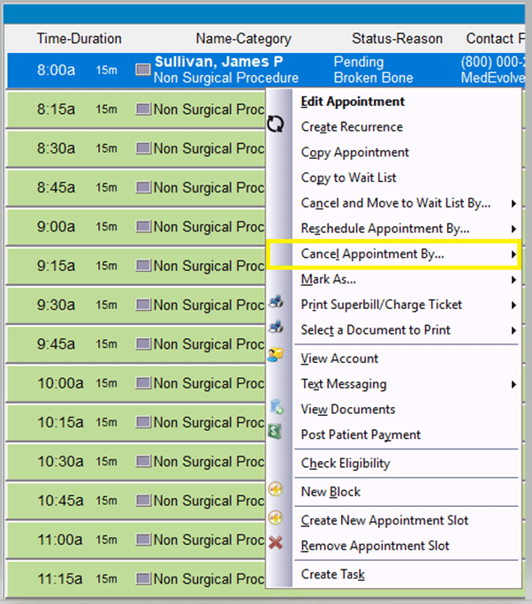
Step 1: Right-click on the appointment you wish to cancel, and then select “Cancel Appointment By”.
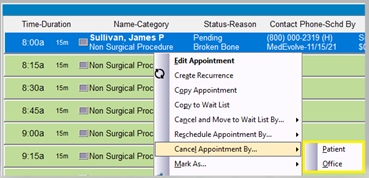
Step 2: Choose if you are cancelling due to patient request, or by office request.
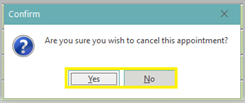
Step 3: You will be prompted to confirm if you wish to cancel this appointment slot. Select “Yes”, to finalize the cancellation of the appointment, or “No”, to cancel the cancellation of the appointment.
Note: If the appointment slot duration was previously changed to accommodate a duration different from the template, you will be prompted to revert the duration to the original value, where you will select “Yes” or “No” to continue. This will cancel and remove the appointment from the appointment slot, allowing a new appointment to be scheduled in the open appointment slot.