
Once on the patients Account Information screen, click on the account visits/transactions icon.
Once the visits/transactions screen appears, select the refile checkbox for the date of service that you are needing to drop to paper. All charges pertaining to this visit should be selected. If not, manually select the charges.
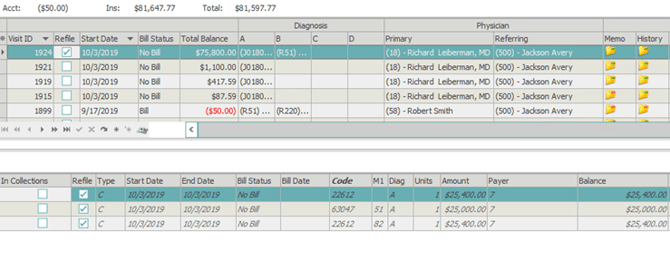
Once the charges have been selected, click the Refile button that is located at the bottom left corner of the screen.
A pop up will appear. Select the Primary Insurance, and Secondary Insurance if it applies, from the drop down. Here you will also select the refile method of Print now.
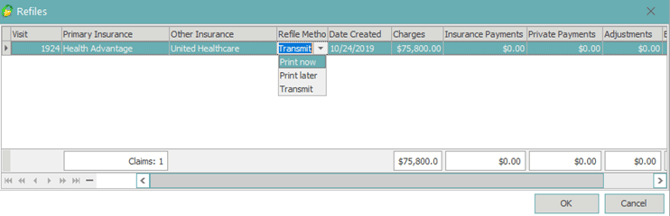
Select OK to print the claim.